Top 10 Best Computer Monitors of 2026: Ranked & Reviewed
The best computer monitor of 2026 costs just $255. Here are all 10 ranked, from the budget champion that embarrasses premium displays to the 57-inch curved wall that replaces reality.
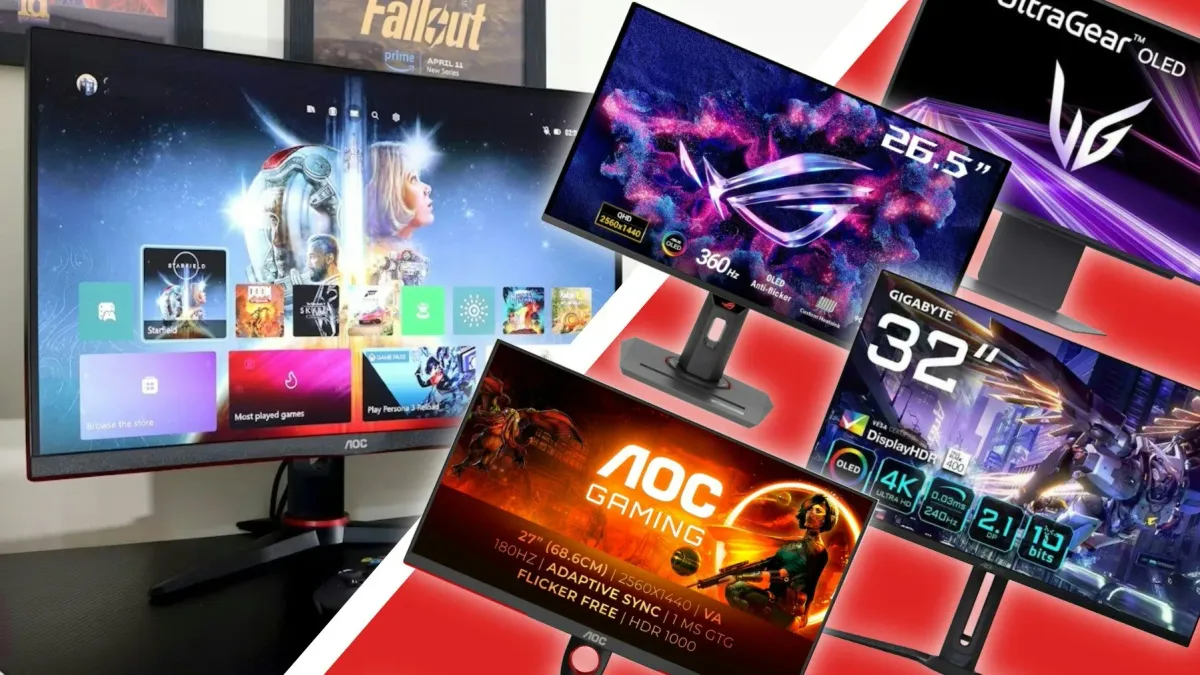
Screen real estate is battlefield real estate. Whether you're building spreadsheets or climbing ranks in competitive shooters, the wrong monitor is a handicap that compounds every day. The right one? You'll forget it's there. Until you try something inferior again.
This list covers the best computer monitors of 2026 across every category that matters: office workhorses, 480Hz OLED speed demons, and massive curved panels that make you question why you ever owned a TV. There's no single "best" monitor for everyone here, but there is a clear pattern. OLED dominates the high end, productivity panels are getting legitimate gaming credentials, and USB-C has become essential infrastructure. The Dell P2425H opens at just $255 with a 100Hz refresh rate and near-perfect user ratings, while the massive Samsung Odyssey Neo G9 at #5 demands serious desk space and a serious budget. Here's what to buy, and why.
Quick Comparison: Top 10 Computer Monitors of 2026
| # | Product | Price | Rating | |
|---|---|---|---|---|
| #1 | Dell P2425H 24-inch Full HD IPS Monitor | $254.99 | 4.8/5 | View Deal |
| #2 | Dell UltraSharp U4025QW 40-inch Curved 5K2K Thunderbolt Hub Monitor | $1,699.00 | 4.6/5 | View Deal |
| #3 | Wacom Cintiq Pro 27 Creative Pen Display | $3,499.95 | 4.5/5 | View Deal |
| #4 | MSI MPG 321URX QD-OLED 32-inch 4K UHD Gaming Monitor | $744.99 | 4.4/5 | View Deal |
| #5 | Samsung 57-inch Odyssey Neo G9 G95NC Dual 4K UHD Curved Gaming Monitor | $2,399.00 | 4.4/5 | View Deal |
| #6 | ASUS ROG Swift OLED PG27AQDP 27-inch 1440P 480Hz Gaming Monitor | $664 | 4.3/5 | View Deal |
| #7 | MSI MPG 322URX QD-OLED 32-inch 4K UHD Gaming Monitor | $934.99 | 4.3/5 | View Deal |
| #8 | Sony INZONE M10S OLED Gaming Monitor | $798 | 4.2/5 | View Deal |
| #9 | Alienware AW2725Q 27-inch 4K QD-OLED Gaming Monitor | $938.86 | 4.0/5 | View Deal |
| #10 | Samsung 55-inch Odyssey Ark 2nd Gen G97NC 4K UHD Curved Gaming Monitor | $1,500.00 | 3.8/5 | View Deal |
#1. Dell P2425H 24-inch Full HD IPS Monitor
The highest-rated monitor in our lineup, with specs that embarrass monitors costing twice as much.
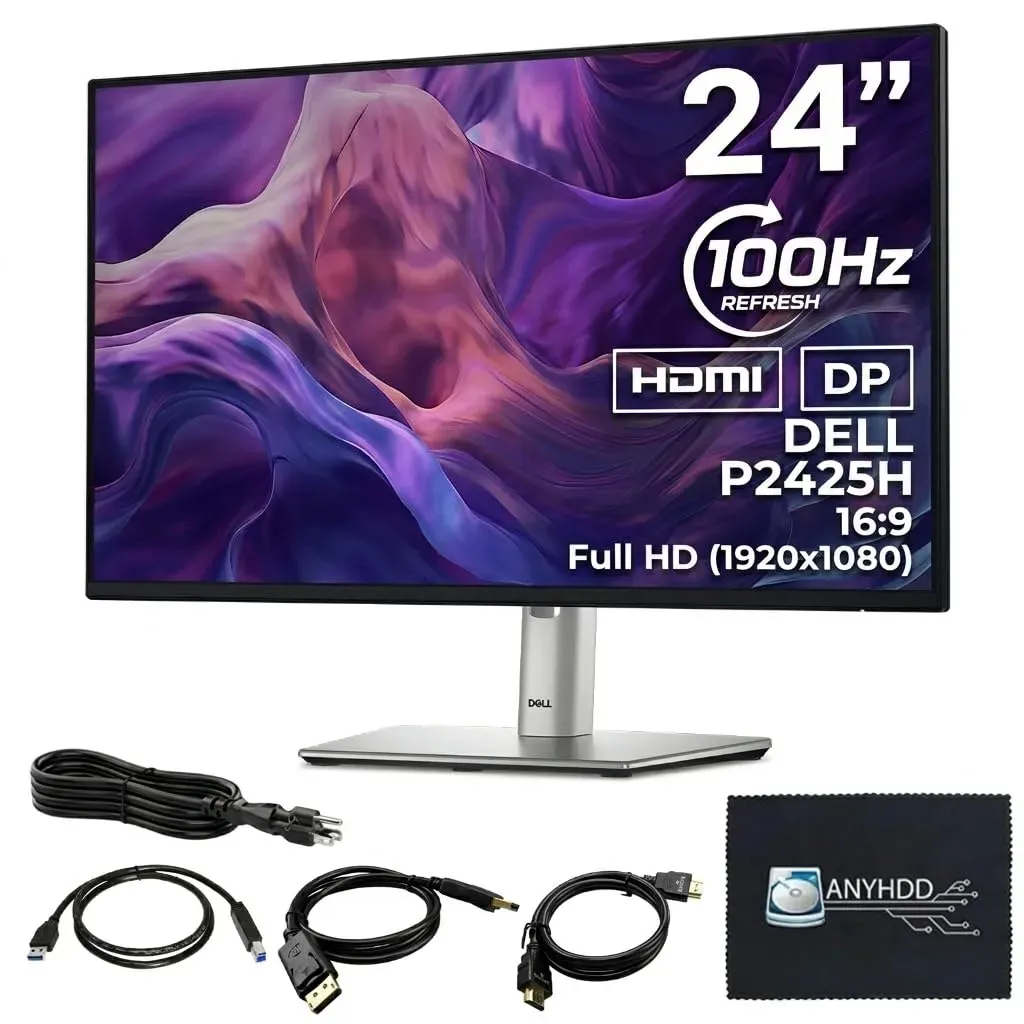
Price: $254.99 Rating: 4.8/5 Best For: Home & Office Check Price on Amazon
Something strange happens when a monitor costs $255 yet outperforms displays at twice the price. The P2425H generates satisfaction scores that embarrass premium alternatives, including the UltraSharp at #2 which costs nearly seven times more. Owners mention the same surprise: this budget panel moves with a responsiveness that makes standard office displays feel broken. No calibration headaches. No cable clutter. Just plug it in and watch your mouse glide across documents with an uncanny smoothness. IT departments love it because it never generates support tickets. Students love it because it leaves money for textbooks. The gap between price tag and performance here is genuinely unfair to the competition.
Pros
- 100Hz refresh rate for noticeably smoother scrolling than standard 60Hz office monitors
- ComfortView Plus reduces blue light without the yellow tint that ruins color accuracy
- Built-in 4-port USB hub for convenient peripheral connectivity
- Full ergonomic adjustment: height, tilt, swivel, and pivot
- 4.8/5 rating from 133 verified buyers—highest satisfaction score on this list
Cons
- 1080p resolution looks dated next to 4K alternatives
- 250 nits brightness struggles in direct sunlight
Verdict: Buy if you want the best value-per-dollar monitor for productivity work. Skip if you need 4K for creative editing or crave immersive gaming.
#2. Dell UltraSharp U4025QW 40-inch Curved 5K2K Thunderbolt Hub Monitor
A curved 40-inch canvas that replaces dual monitors with one seamless, color-accurate workspace.
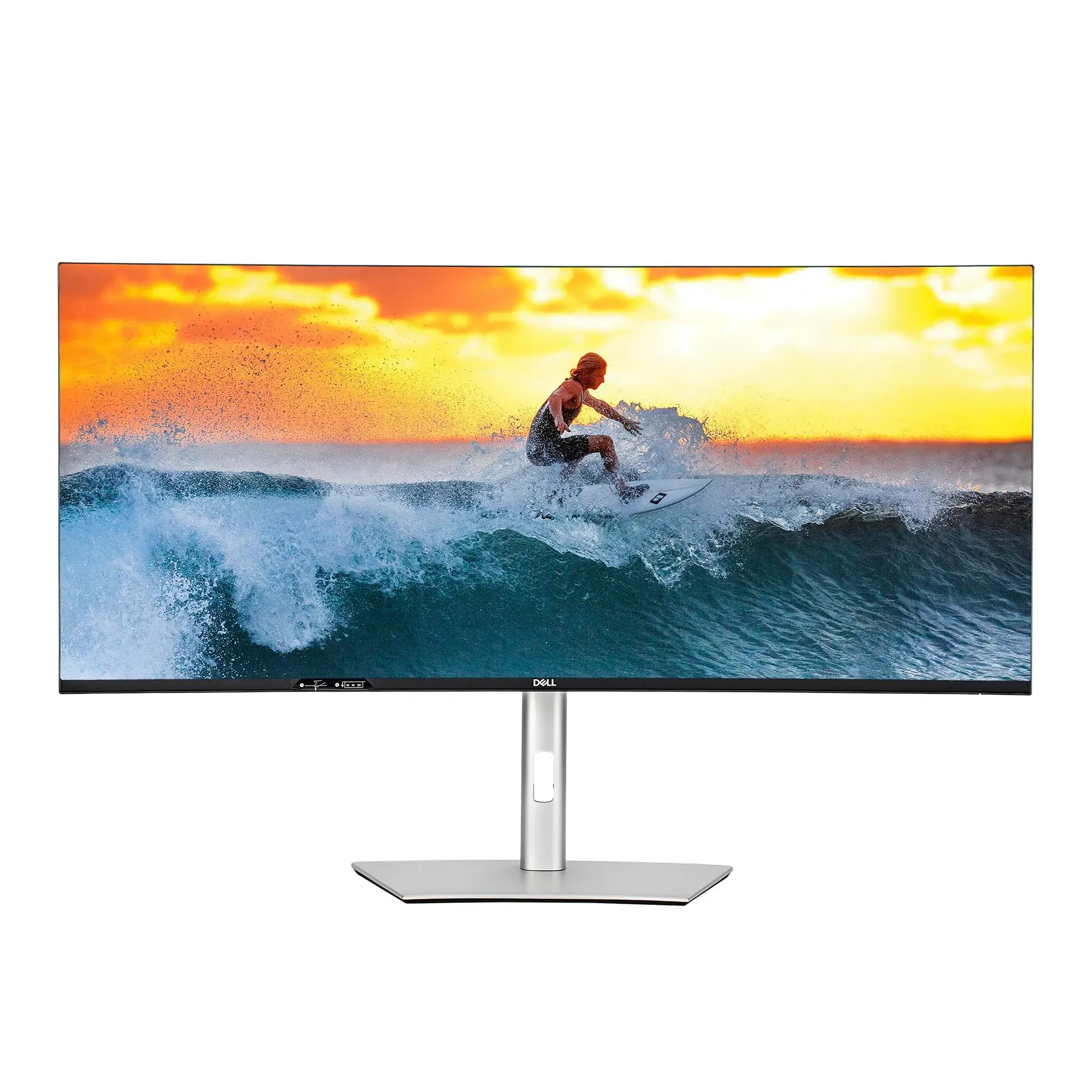
Price: $1,699.00 Rating: 4.6/5 Best For: Professional Productivity Check Price on Amazon
Dual-monitor setups have a fatal flaw: the gap between panels. The UltraSharp U4025QW eliminates it entirely by stretching one seamless canvas across your entire field of view. No more aligning bezels or mismatched color temperatures between screens. This is the panel that convinces video editors to abandon their paired Apple displays and financial analysts to ditch their cluttered multi-monitor armies. The curve is subtle enough for spreadsheets yet immersive enough for timelines. At $1,699, Dell's pricing borders on audacious until you calculate what it replaces: two high-end monitors, a Thunderbolt dock, and the desk space occupied by a rat's nest of cables. For anyone who lives in timelines, massive datasets, or color-critical work, the productivity gains amortize the cost within a quarter.
Pros
- 5K2K resolution (5120×2160) with 2000:1 contrast ratio from IPS Black technology
- Thunderbolt 4 hub with 140W power delivery for single-cable laptop connectivity
- 99% DCI-P3 and 100% sRGB color coverage for professional-grade accuracy
- 120Hz refresh rate for smooth document scrolling and timeline navigation
- Factory calibration eliminates guesswork for color-critical work
Cons
- $1,699 price point requires serious justification for non-professional users
- 40-inch width demands significant desk real estate
Verdict: Buy if you're a video editor, financial analyst, or multitasker who lives in spreadsheets. Skip if you're a casual user. This is overkill for email and web browsing.
#3. Wacom Cintiq Pro 27 Creative Pen Display DTH271K0A
The $3,500 standard against which all other pen displays are measured, and fall short.
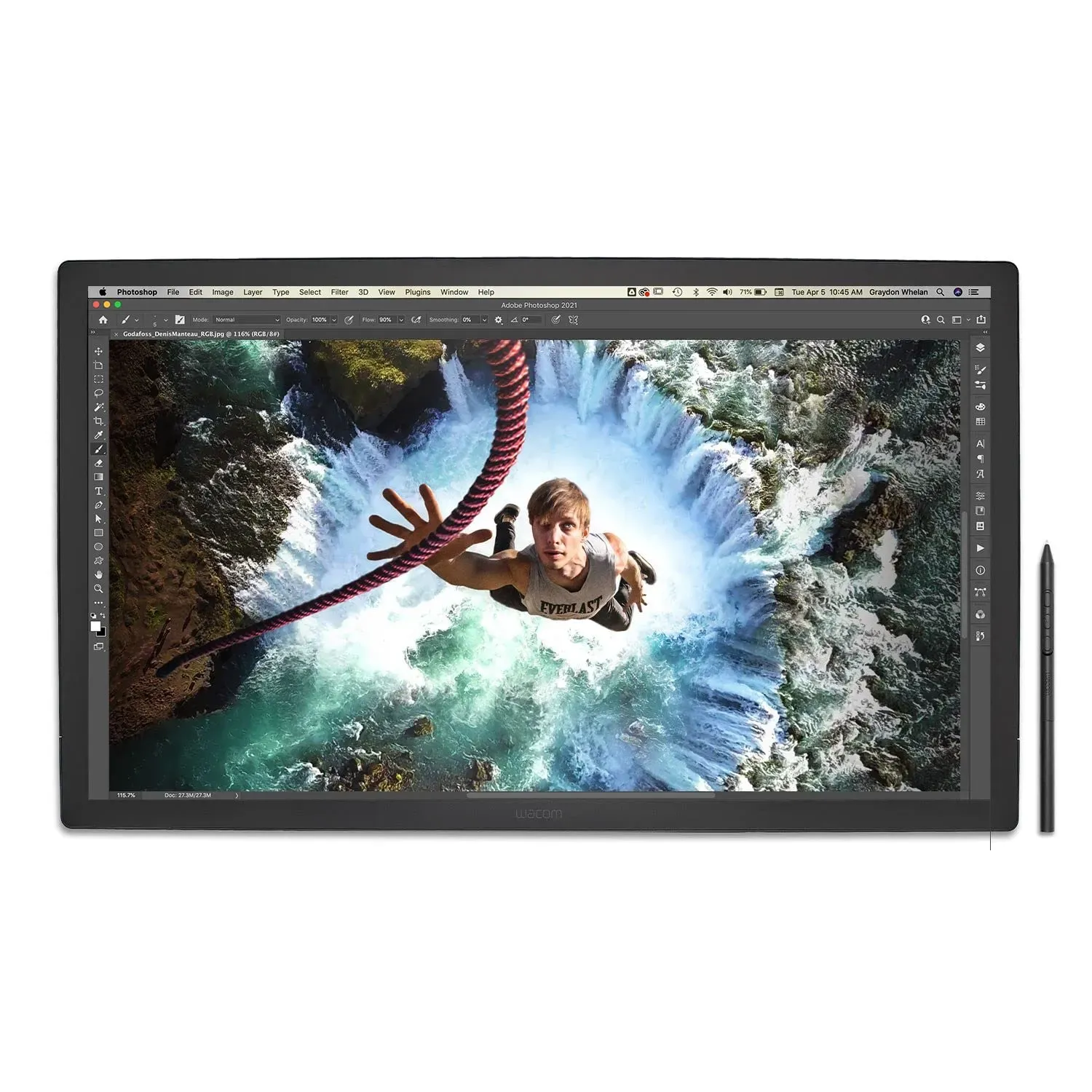
Price: $3,499.95 Rating: 4.5/5 Best For: Digital Artists Check Price on Amazon
Drawing on a standard tablet feels like sketching through glass. The Cintiq Pro 27 feels like pressing pencil to paper. The parallax is so minimal that your cursor lands exactly where intuition expects, creating that rare moment where technology disappears and only the work remains. This isn't a monitor with pen support bolted on. It's a professional instrument that happens to show your work in 4K. The surface texture mimics paper tooth rather than slippery glass, and the stylus captures pressure gradations that cheaper hardware flattens into binary on-or-off. At $3,499, it costs more than most laptops. But for professional illustrators who bill hourly, the efficiency gains pay for themselves during a single complex project.
Pros
- 8,192 pressure levels with customizable grip and weight on Pro Pen 3
- 99% Adobe RGB and 98% DCI-P3 coverage for color-critical workflows
- 120Hz refresh rate eliminates lag during rapid pen movements
- Anti-glare etched glass surface with minimal parallax for natural drawing feel
- Eight customizable ExpressKeys plus multi-touch gesture support
Cons
- $3,499 price point excludes casual hobbyists
- Requires dedicated workspace and won't function as a standard monitor
Verdict: Buy if you're a professional illustrator, animator, or designer who bills hourly for creative work. Skip if you're learning digital art. Start with a cheaper tablet first.
#4. MSI MPG 321URX QD-OLED 32-inch 4K UHD Gaming Monitor
Quantum-dot OLED technology finally available at a price that doesn't require selling organs.
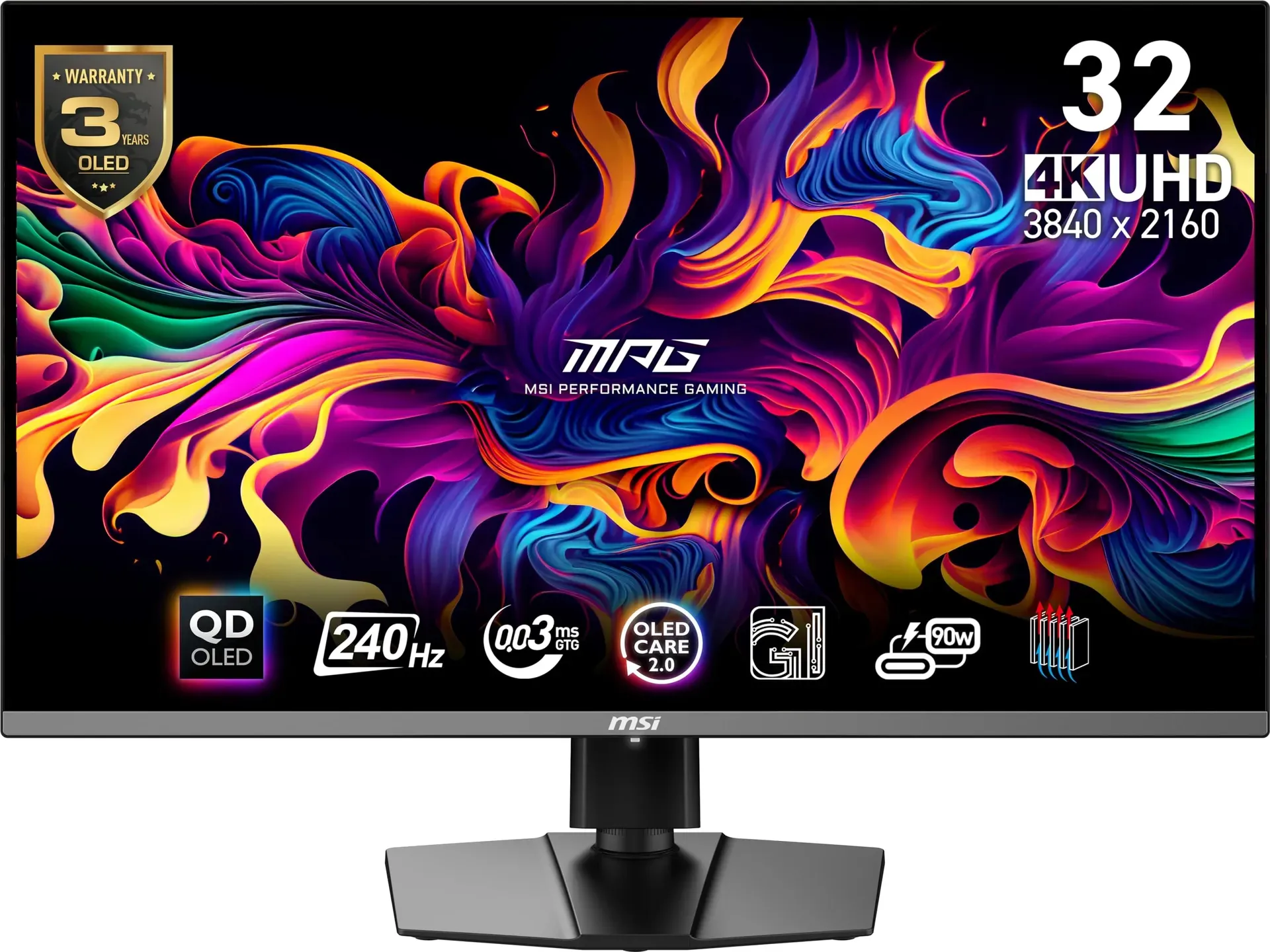
Price: $744.99 Rating: 4.4/5 Best For: Premium Gaming Check Price on Amazon
Two years ago, OLED gaming monitors didn't exist. Now, for $745, you can own the best entry point into premium gaming displays on the market. The 321URX pairs self-emitting pixels with quantum-dot color to create an image that makes premium IPS panels look washed out and gray. Motion clarity is absolute; ghosting simply doesn't happen here. Console gamers finally get uncompressed 4K 120Hz through full-bandwidth HDMI inputs, while PC players enjoy the responsiveness that competitive titles demand. Burn-in anxiety, the traditional OLED boogeyman, gets addressed through aggressive pixel management and automatic brightness limits. At 722 reviews with a 4.4/5 average, this is the most validated OLED gaming monitor available. It undercuts the competition by nearly $200 while delivering the same panel quality.
Pros
- 240Hz refresh rate with 0.03ms GTG response time for zero motion blur
- VESA DisplayHDR True Black 400 certification with infinite contrast ratio
- 99% DCI-P3 coverage and Delta E ≤ 2 color accuracy
- HDMI 2.1 for uncompressed 4K 120Hz console gaming
- OLED Care 2.0 technology to mitigate burn-in risks
Cons
- Burn-in risk requires avoiding static desktop elements like taskbars during 8+ hour daily use
- No DisplayPort 2.1; bandwidth limited compared to newer MSI models
Verdict: Buy if you want OLED image quality without the premium tax. Skip if you need DisplayPort 2.1 bandwidth. Check the #7 MSI MPG 322URX instead.
#5. Samsung 57-inch Odyssey Neo G9 G95NC Dual 4K UHD 1000R Curved Gaming Monitor
A 57-inch curved wall that replaces reality with 7,680 pixels of horizontal immersion.
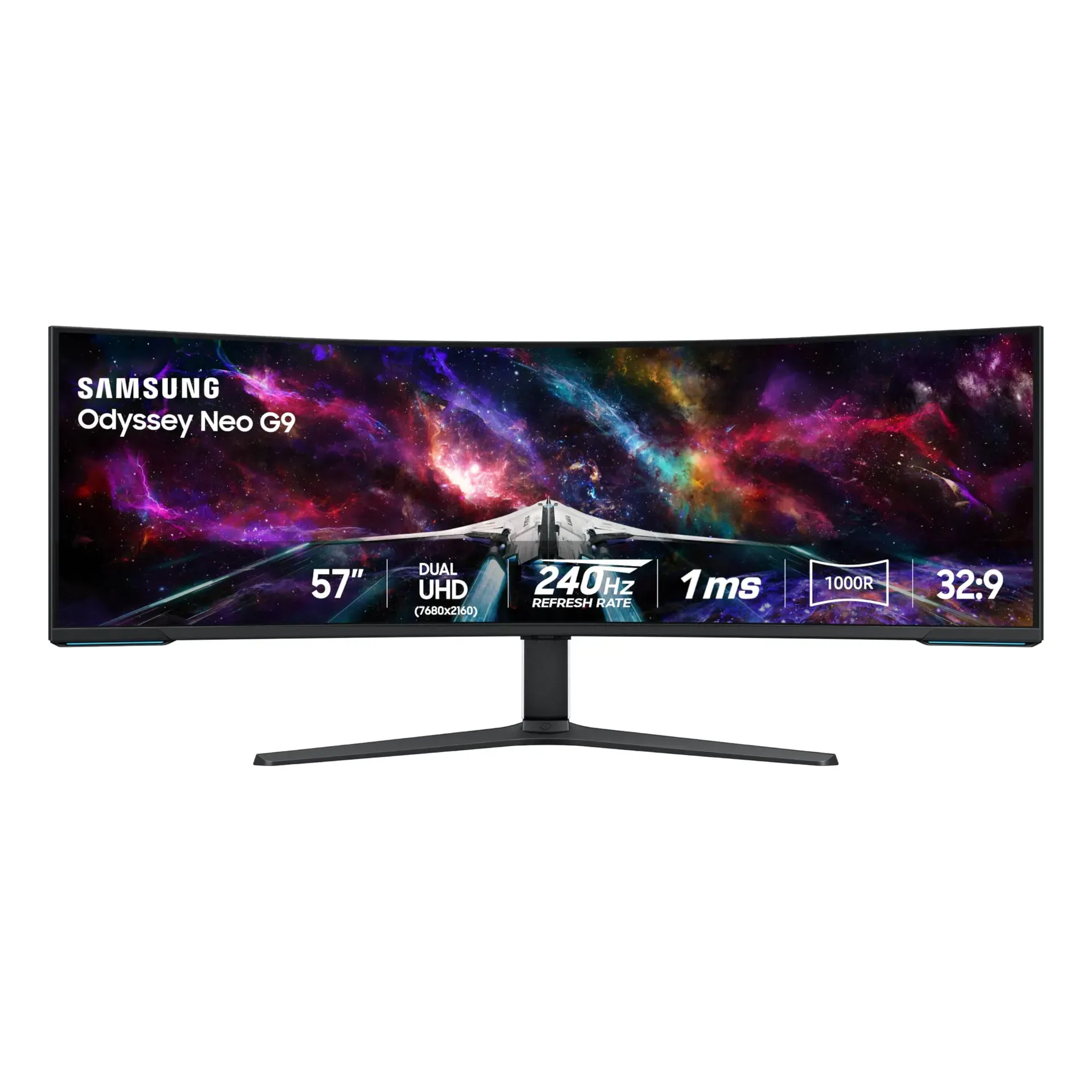
Price: $2,399.00 Rating: 4.4/5 Best For: Ultra-Immersive Sim Racing Check Price on Amazon
Standard monitors show you a window. The Odyssey Neo G9 drops you inside the building. The sheer scale of this display creates peripheral vision coverage that triggers genuine immersion; your brain stops processing the screen edges and starts accepting the virtual environment as real. Sim racers report checking their mirrors instinctively, while flight sim pilots describe actual vertigo during banking maneuvers. The aggressive curvature requires adjustment time. It is not subtle, and neither is the $2,399 price. But for enthusiasts who want genuine presence in virtual worlds, nothing else on this list competes. Just ensure your GPU can push 240Hz at this resolution, or you'll own a very expensive slideshow.
Pros
- 57-inch Dual UHD resolution (7680×2160) with 1000R curvature for maximum immersion
- Quantum Mini-LED with 2,392 local dimming zones and 1,000,000:1 contrast ratio
- VESA DisplayHDR 1000 with 1,000-nit peak brightness
- 240Hz refresh rate with 1ms GTG response time and DisplayPort 2.1
- CoreSync lighting projects on-screen colors into surrounding space
Cons
- Requires top-tier GPU to achieve 240Hz at native resolution
- 1000R curvature creates noticeable distortion for productivity tasks
Verdict: Buy if you sim race, flight sim, or want the most immersive gaming experience money can buy. Skip if you need a productivity monitor. This is purely for entertainment.
#6. ASUS ROG Swift OLED PG27AQDP 27-inch 1440P 480Hz Gaming Monitor
480Hz OLED at 1440p. This is esports precision that makes 240Hz feel sluggish.
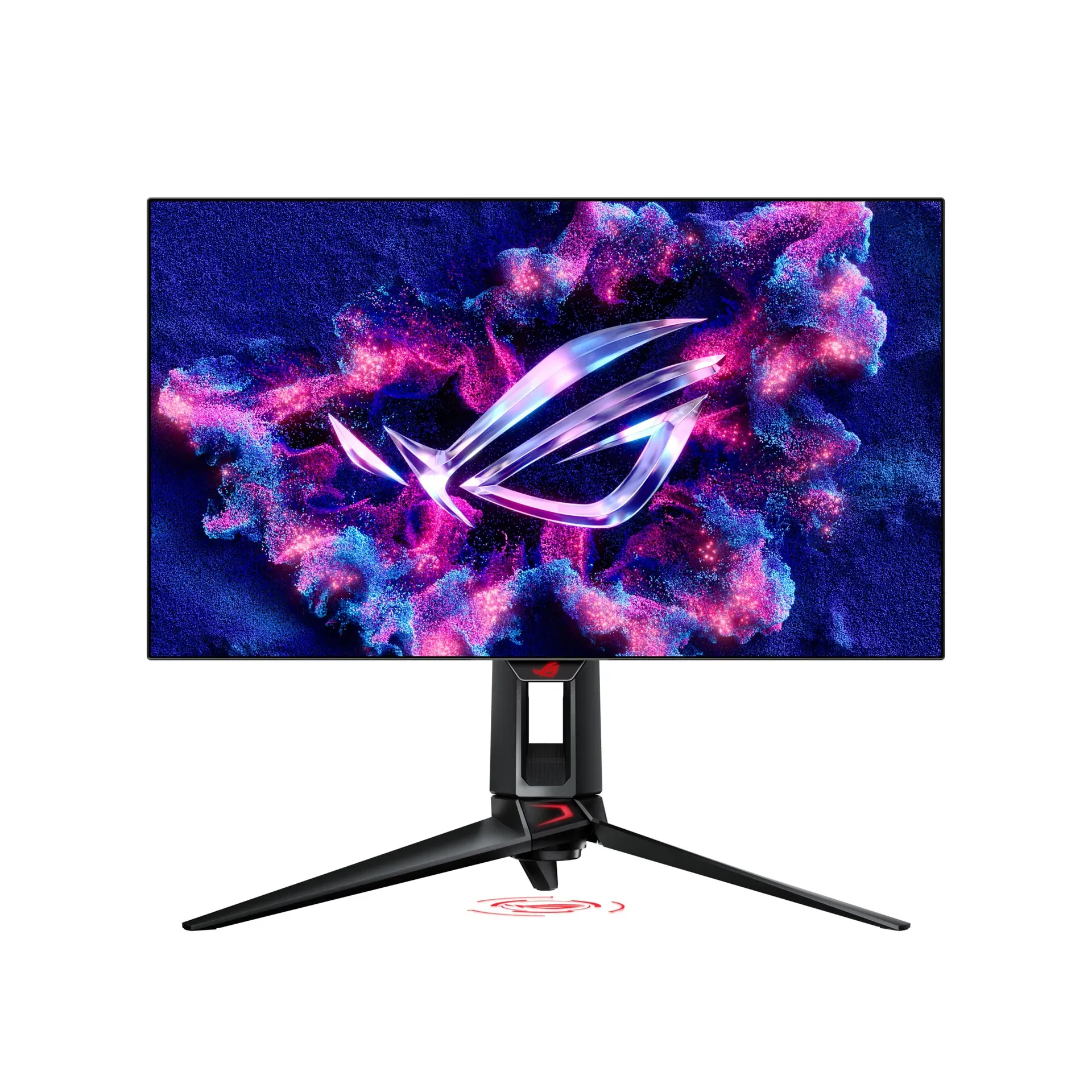
Price: $664 Rating: 4.3/5 Best For: Competitive Esports Check Price on Amazon
Most gamers chase resolution. The PG27AQDP abandons that philosophy entirely, delivering the world's first 480Hz OLED panel. The math is brutal. Visual information hits your eyes before your mouse click finishes registering. This isn't a monitor for enjoying scenery. It's a weapon for competitive advantage. ASUS's engineering triumph isn't just the panel; it's the custom thermal solution that enables this refresh rate without audible fan noise to give away your position. Eye strain gets addressed through flicker reduction during marathon sessions, and the warranty includes burn-in coverage that acknowledges the risks of pushing self-emissive pixels this aggressively. At $664, it's the cheapest OLED on this list, but only if your priority is winning, not pixel counting.
Pros
- World's first 480Hz refresh rate OLED monitor for absolute motion clarity
- 0.03ms GTG response time eliminates motion blur entirely
- WOLED panel with 99% DCI-P3 and VESA DisplayHDR True Black 400
- Custom heatsink for silent operation at high refresh rates
- 3-year warranty with burn-in coverage included
Cons
- 1440p resolution feels limiting for single-player cinematic experiences
- 27-inch screen size reduces immersion for story-driven games
Verdict: Buy if you're a competitive player who values motion clarity over pixel density. Skip if you primarily play narrative single-player games at 4K Ultra.
#7. MSI MPG 322URX QD-OLED 32-inch 4K UHD Gaming Monitor
DisplayPort 2.1 finally arrives. 80Gbps of uncompressed bandwidth for uncompromising 4K 240Hz.
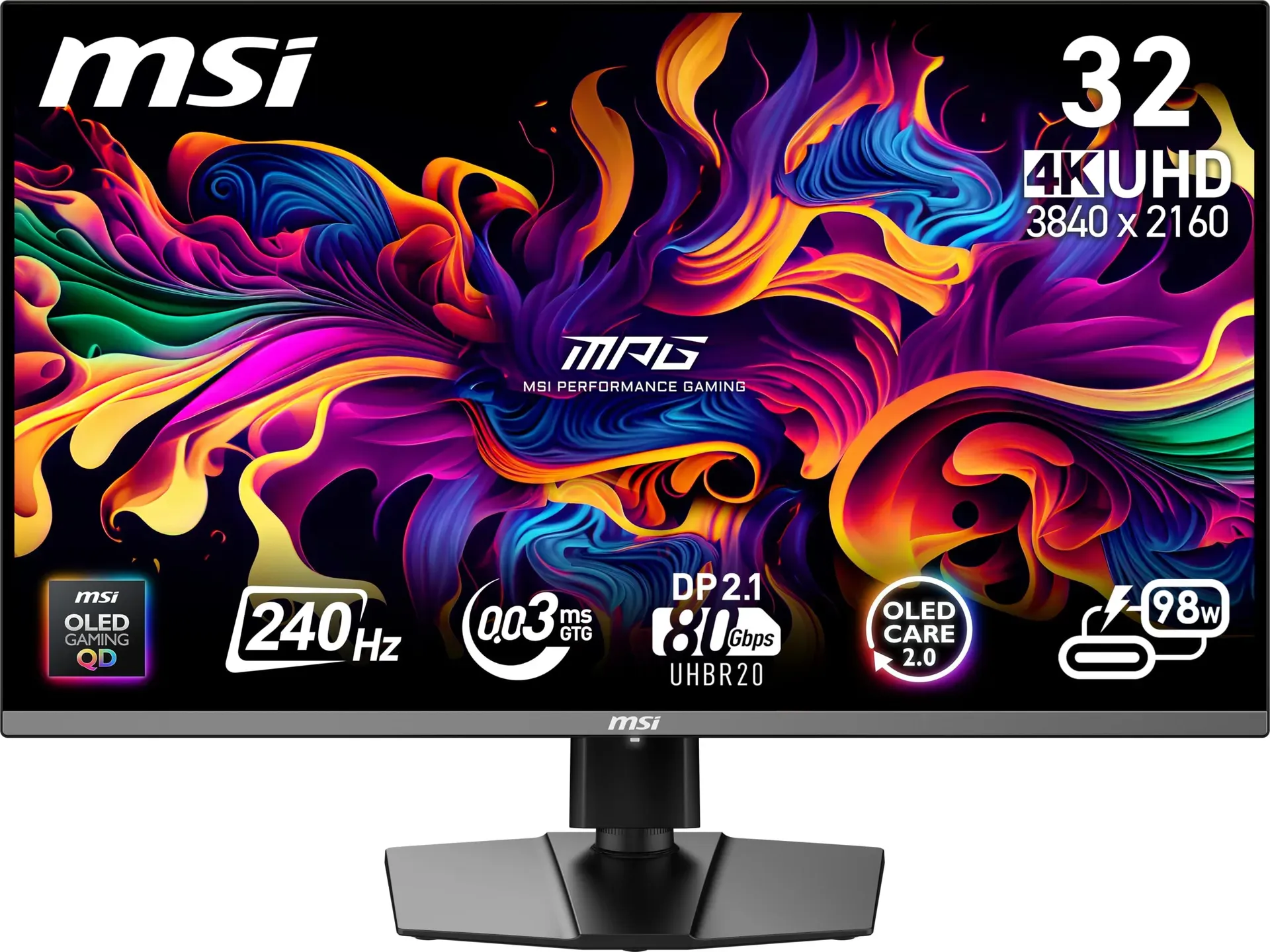
Price: $934.99 Rating: 4.3/5 Best For: Enthusiast Gamers Check Price on Amazon
The #4 MSI MPG 321URX impressed with value, but it carried one limitation. The 322URX fixes that by doubling the connection bandwidth. For most gamers, compression artifacts are invisible. For enthusiasts who notice everything, this is the definitive 32-inch OLED until the new connection standard becomes ubiquitous. You can see the difference in text clarity and subtle color gradients, particularly in HDR content. The panel maintains the same lightning response and color accuracy as its cheaper sibling while adding improved brightness consistency across the entire surface. At $935, it costs $190 more than the 321URX, and that premium is entirely for the connectivity upgrade. Buy this only if you already own hardware that can utilize the extra bandwidth. Otherwise, save the money.
Pros
- DisplayPort 2.1a (UHBR20) with 80Gbps bandwidth for uncompressed 4K 240Hz
- 3rd generation QD-OLED panel with improved brightness uniformity
- 240Hz refresh rate with 0.03ms GTG response time
- Delta E ≤ 2 color accuracy and VESA DisplayHDR True Black 400
- 32-inch size hits the sweet spot for 4K pixel density
Cons
- $190 premium over the 321URX for connection upgrade only
- DisplayPort 2.1 requires newer GPUs to function
Verdict: Buy if you have a DisplayPort 2.1-capable GPU and notice compression artifacts. Skip if you're on older hardware. Save $190 and get the #4 MSI MPG 321URX instead.
#8. Sony INZONE M10S OLED Gaming Monitor
Developed with Fnatic's esports team. The 480Hz display that thinks about tournaments first.
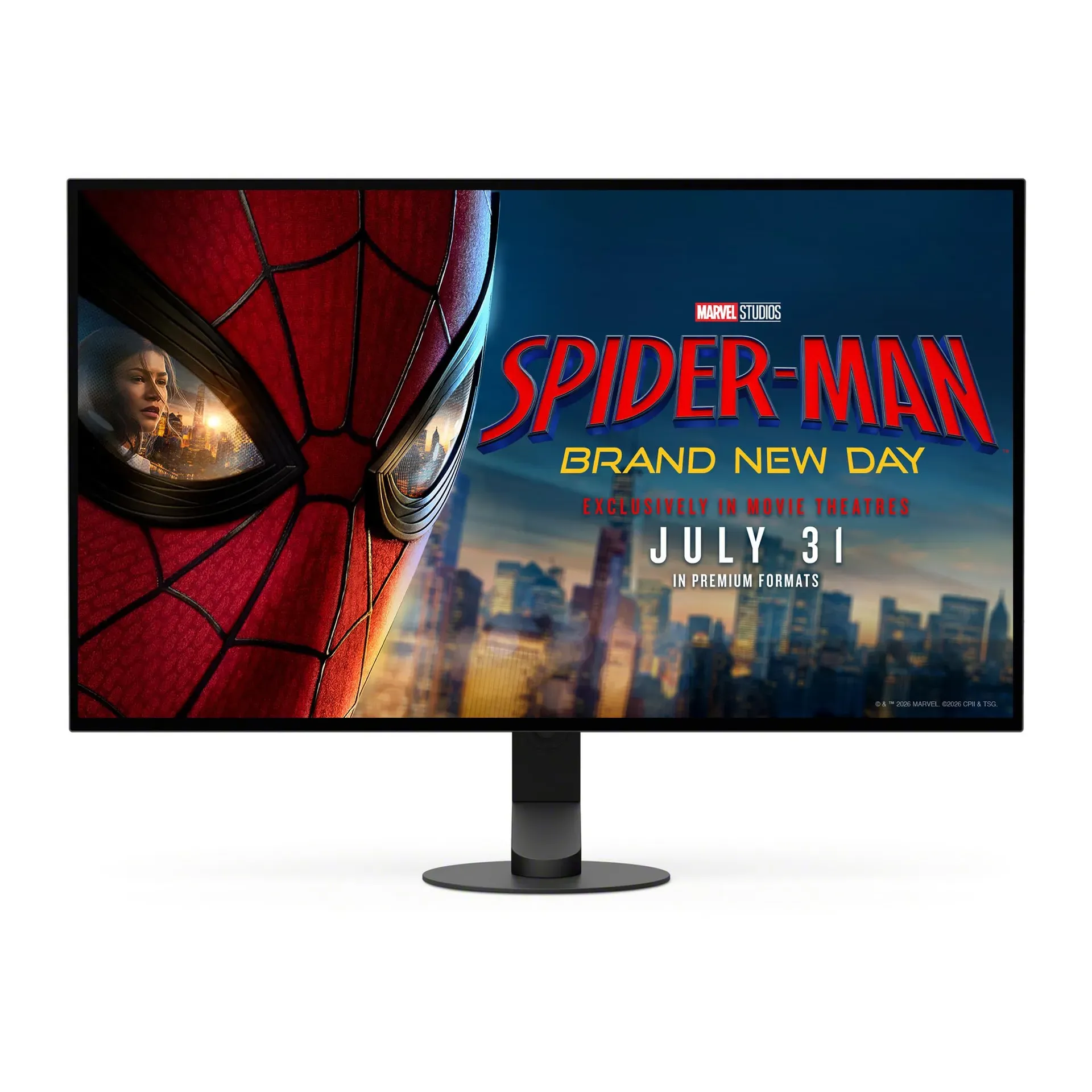
Price: $798 Rating: 4.2/5 Best For: Gaming Check Price on Amazon
Sony's display engineering pedigree shows in details that don't appear on spec sheets. The tournament mode shrinks the active area to minimize eye travel distance between mini-map and crosshair, a feature requested by professional esports teams. Shadow enhancement modes reveal enemies in dark corners without washing out highlights, while the silent thermal design keeps the monitor quiet during tense clutch moments. You're paying for expertise gained from decades of professional broadcast and cinema displays. At $798, it's $134 more than the #6 ASUS for similar performance, but the calibration precision and tournament-specific features justify the premium for serious competitors who notice subtle input lag differences.
Pros
- 480Hz refresh rate with 0.03ms GTG response time
- 24.5-inch mode switch for competitive play scenarios
- FPS Pro/Plus modes enhance visibility in dark game environments
- Fan-less passive cooling system for silent operation
- 3-year limited warranty with OLED burn-in coverage
Cons
- $134 more than competing 480Hz monitors with similar panels
- 4mm thin base limits cable management options
Verdict: Buy if you compete in tournaments and value Sony's calibration expertise. Skip if you're a casual player. Save money with the #6 ASUS or #4 MSI options.
#9. Alienware AW2725Q 27-inch 4K QD-OLED Gaming Monitor
4K resolution in a compact 27-inch package. This is pixel density over screen real estate.
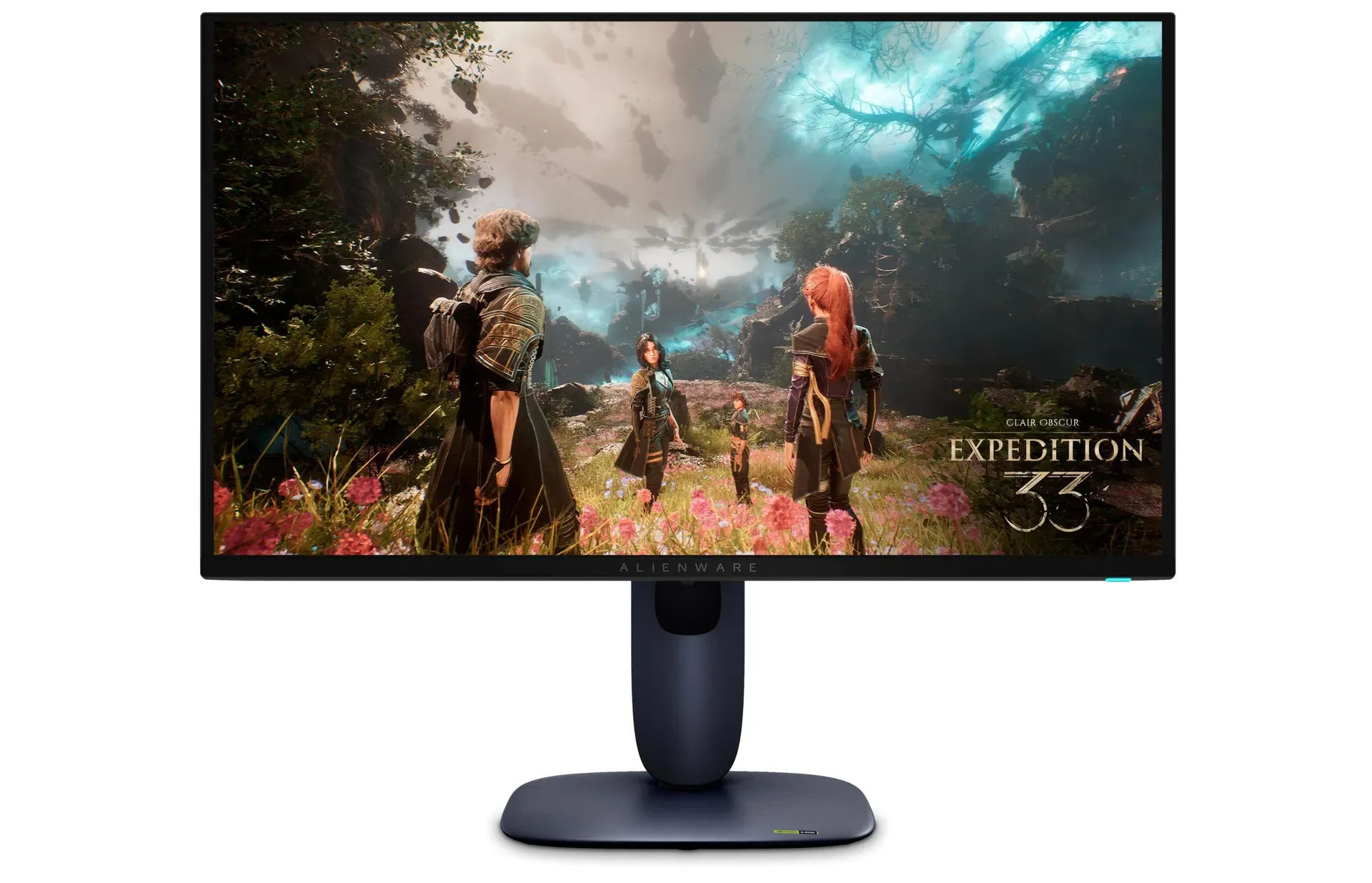
Price: $938.86 Rating: 4.0/5 Best For: High-End Gaming Check Price on Amazon
Most gaming monitors force a choice between resolution and refresh rate. The AW2725Q delivers both on a canvas that preserves desk space while maximizing pixel density. This is the OLED monitor for small apartments or multi-monitor setups where 32 inches feels excessive. Tear-free gameplay works across both connection types, ensuring compatibility whether you game on PC or console. The single-cable docking solution keeps wire management manageable for laptop warriors. The 4.0/5 rating suggests some quality inconsistency, likely accounting for its position below the MSI and Sony options. At $939, it's premium-priced for the form factor, but if desk space is your constraint, this is the only way to get 4K OLED without sacrificing refresh rate.
Pros
- 4K resolution at 240Hz with no compromise between clarity and speed
- 27-inch size ideal for compact setups and limited desk space
- NVIDIA G-Sync Compatible with Adaptive-Sync over HDMI 2.1
- USB-C with power delivery and USB 3.2 Gen 1 hub
- 0.03ms response time from QD-OLED panel
Cons
- 4.0/5 rating suggests quality control inconsistencies
- Text and UI elements may appear small at some viewing distances
Verdict: Buy if you have limited desk space but refuse to compromise on 4K OLED quality. Skip if you have room for 32 inches. The #4 MSI offers better value and proven reliability.
#10. Samsung 55-inch Odyssey Ark 2nd Gen G97NC 4K UHD 1000R Curved Gaming Monitor
A 55-inch TV that pivots to Cockpit Mode. This is immersive gaming for those who think the Neo G9 is too small.
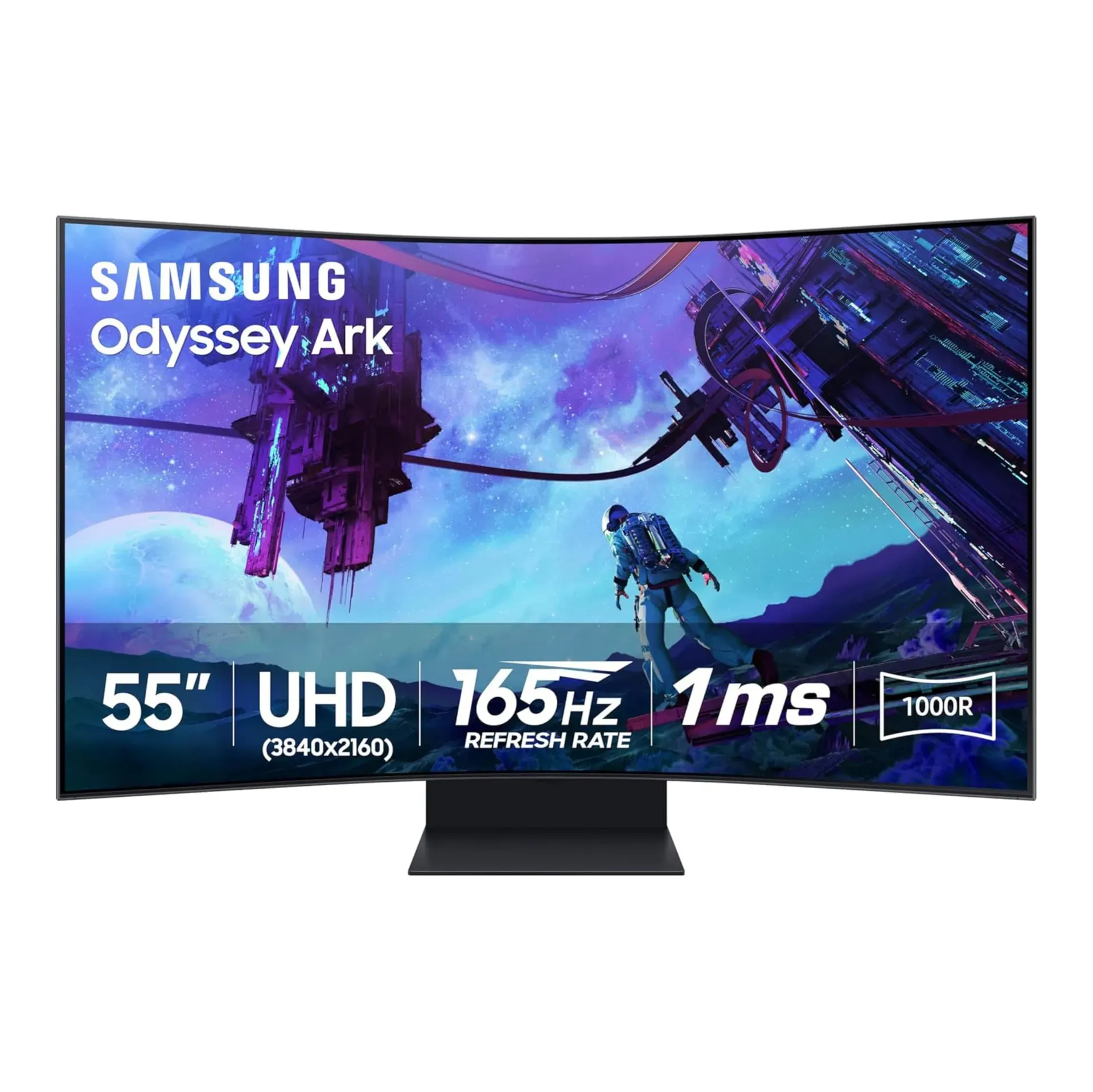
Price: $1,500.00 Rating: 3.8/5 Best For: Living Room Gaming Check Price on Amazon
Making a convincing case for monitors over TVs requires something this massive. The Odyssey Ark delivers features no television offers: high refresh rates, instant response, and the ability to rotate vertically into Cockpit Mode for unique gaming perspectives. The onboard processor upscales and optimizes every frame automatically, while the integrated speaker system eliminates the need for separate audio hardware. Multiple inputs let you run several PCs and consoles simultaneously, and the built-in gaming hub provides cloud access without dedicated hardware. The 3.8/5 rating reflects the reality of this form factor. It's excessive, expensive, and requires significant compromises. But if you want the ultimate living room gaming display, this is the only option that answers truly.
Pros
- 55-inch 4K with 165Hz refresh rate and 1ms response time
- Cockpit Mode allows vertical rotation for unique gaming perspectives
- 60W 2.2.2-channel Sound Dome with Dolby Atmos built-in
- 4-input Multi View for simultaneous multi-source display
- Samsung Gaming Hub for cloud gaming without dedicated hardware
Cons
- 3.8/5 rating is the lowest satisfaction score on this list
- Size and curve make it impractical for standard desk use
Verdict: Buy if you want a living room gaming display that embarrasses any TV. Skip if you need a productivity monitor. This is purely for entertainment and requires serious space.
How to Choose the Best Computer Monitors of 2026
Key Specs to Look For
Panel technology determines everything. IPS panels like the Dell P2425H offer accurate colors and wide viewing angles, making them ideal for productivity. OLED displays from MSI, ASUS, and Sony deliver infinite contrast and lightning-fast response times, but carry burn-in risks that manufacturers are finally addressing with longer warranties. Refresh rate has become non-negotiable. Even basic office work benefits from 100Hz, while gaming demands 240Hz or higher. Resolution should match your use case: 1080p suffices for strict office work, 1440p hits the sweet spot for gaming, and 4K benefits creative professionals who need pixel accuracy.
Price vs. Value
The Dell P2425H at $255 proves that budget monitors no longer mean compromised experiences. Spending $700-$900 unlocks QD-OLED technology with dramatically better image quality. The $1,500+ tier delivers specialized experiences: ultrawide productivity, massive curved immersion, or professional pen displays. At every price point, look for USB-C connectivity with power delivery. Computer monitors with USB C ports have become essential for modern laptop workflows. HDMI 2.1 is mandatory for console gaming, while DisplayPort 2.1 represents the future standard for enthusiast PC gaming.
Brand Reliability
Dell dominates the productivity and mid-range gaming categories with consistent quality and ergonomic design. MSI and Samsung lead the OLED gaming revolution with aggressive pricing that undercuts traditional gaming brands. ASUS's ROG line delivers specialized features for competitive players, while Sony leverages display expertise from its television division. Wacom remains the uncontested leader for creative pen displays. Alienware offers premium styling but hasn't established the same reliability reputation as MSI or ASUS in the OLED space.
Frequently Asked Questions
What's the best computer monitor for home office work?
For pure office productivity, the Dell P2425H (#1) offers the best value with its 100Hz refresh rate, ComfortView Plus blue light filtering, and USB hub. If you need expansive screen real estate, the Dell UltraSharp U4025QW (#2) replaces dual monitors with one curved 40-inch panel.
Are expensive computer monitors worth it?
Price correlation to quality breaks at specific tiers. Under $300, the Dell P2425H delivers exceptional value. The $700-$900 range unlocks OLED technology that dramatically improves gaming and media consumption. Above $1,500, you're paying for specialized form factors: 40-inch productivity ultrawides, 57-inch curved immersion, or professional pen displays. Buy for your specific use case, not specification bragging.
What's the best computer monitor for gaming?
For competitive gaming, the ASUS ROG Swift OLED PG27AQDP (#6) delivers the world's first 480Hz OLED panel. For premium 4K gaming, the MSI MPG 321URX QD-OLED (#4) offers the best value at $745. Sim racers should consider the Samsung Odyssey Neo G9 (#5) for its 57-inch curved immersion.
Do computer monitors have speakers?
Most monitors on this list, including the Dell P2425H and MSI QD-OLED models, do not include built-in speakers. The exception is the Samsung Odyssey Ark 2nd Gen (#10), which includes a powerful 60W 2.2.2-channel Sound Dome system. Plan on external speakers or headphones for most monitors.
What's the best OLED computer monitor for 2026?
QD-OLED monitors dominate the high-end with perfect blacks and infinite contrast. The MSI MPG 321URX (#4) offers the best value at $745, while the MSI MPG 322URX (#7) adds DisplayPort 2.1 for future-proofing. For competitive gaming, the ASUS ROG Swift PG27AQDP (#6) delivers the world's first 480Hz OLED panel.
Final Verdict
The Dell P2425H (#1) earns the top recommendation for most users, delivering the highest owner satisfaction rating on this list at a price that feels impossible given its feature set. Gamers should prioritize the MSI MPG 321URX QD-OLED (#4) for the best balance of price and premium panel technology, while creatives and financial professionals should consider the Dell UltraSharp U4025QW (#2) for its productivity-focused ultrawide form factor.
Any monitor on this list represents a solid choice for its intended use case. The 2026 monitor market has matured significantly. OLED is now accessible under $700, USB-C connectivity has become standard, and refresh rates have moved well beyond the 60Hz standard that held back productivity for years. Prices fluctuate frequently on Amazon, so check current deals before committing. The monitor you buy today will likely outlast your next two PCs, making this decision worth careful consideration.